
From my experience with SpeakAI, I found it excels at delivering accurate and fast speech-to-text transcription with useful features like speaker diarization and sentiment analysis. The platform is particularly well-suited for businesses and content creators who need reliable meeting or media transcription and want to integrate transcription capabilities via API. However, the tool currently supports primarily English and lacks a dedicated mobile app, which might limit some users. Overall, if you require an efficient and developer-friendly transcription service with insightful audio analytics, SpeakAI offers solid value.

SpeakAI Speech Recognition and Audio Transcription Platform for Businesses
SpeakAI is an AI-driven platform that converts audio and video speech into accurate, searchable text with features like real-time transcription, speaker identification, and sentiment analysis.
Tech Stack:
JavaScript
Python
TensorFlow
What is SpeakAI?
SpeakAI is an AI-powered speech recognition and audio transcription platform designed to convert spoken language into accurate, searchable text. It leverages advanced machine learning models to provide real-time and batch transcription services, enabling businesses and content creators to automate the conversion of audio and video content into text for easier analysis, accessibility, and documentation.
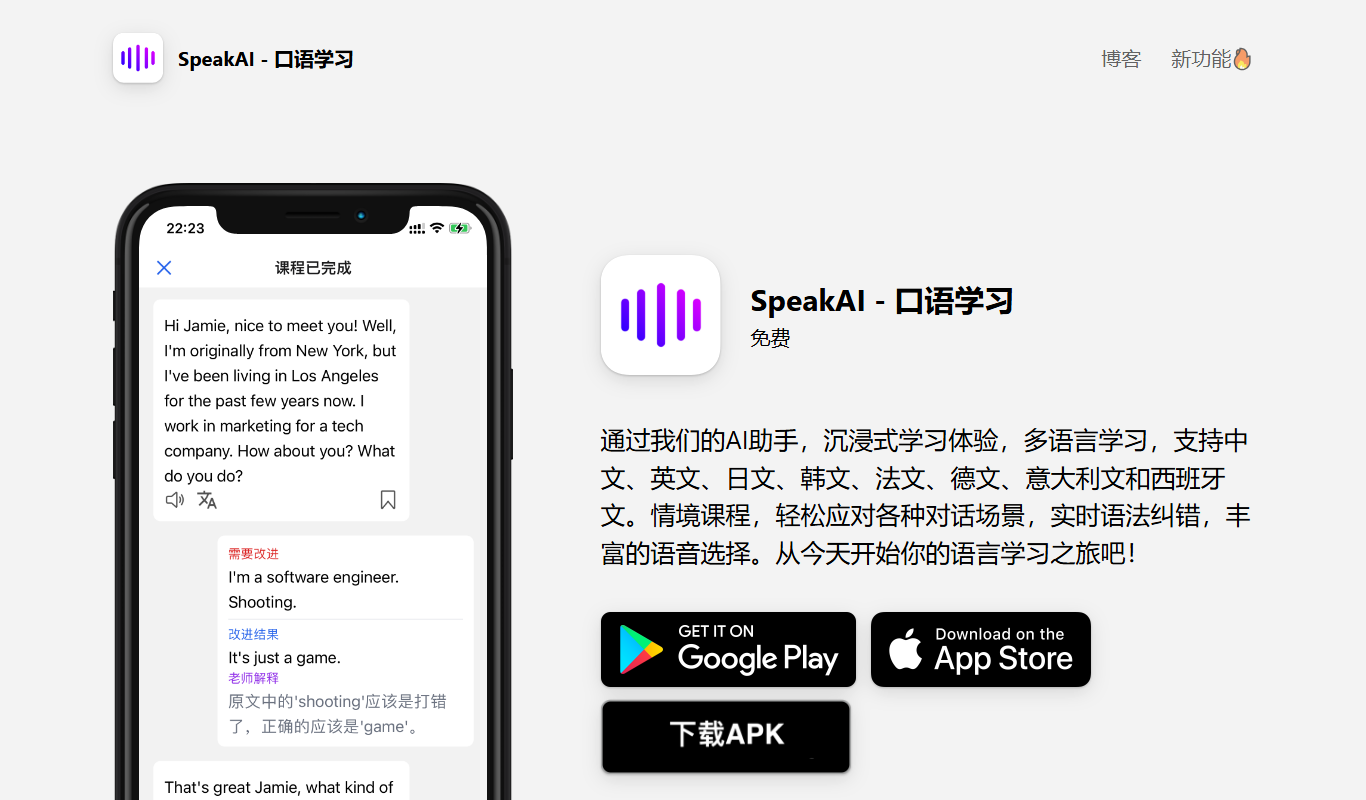
Key Features of SpeakAI
Real-Time and Batch Transcription
Supports both live transcription and processing of pre-recorded audio or video files.
Speaker Diarization
Automatically identifies and separates different speakers within the audio.
Keyword Extraction and Sentiment Analysis
Analyzes transcripts to highlight important terms and detect emotional tone.
API Access
Provides a developer-friendly API for seamless integration with other software and workflows.
Multi-Format Export
Exports transcripts in formats like TXT, SRT, and JSON for diverse use cases.
Pros and Cons of SpeakAI
Pros
- Accurate and fast transcription
- Supports real-time and batch processing
- Comprehensive speaker diarization
- API available for easy integration
- Includes sentiment and keyword analysis
Cons
- Limited language support (primarily English)
- Free plan has restricted transcription minutes
- No dedicated mobile app
Key Use Cases for SpeakAI
Meeting Transcription
Automatically transcribe meetings and calls to generate accurate text records for later review and sharing.
Podcast and Media Transcription
Convert audio content from podcasts and media files into searchable and editable text.
Voice Analytics
Analyze speech data to extract insights such as sentiment, keywords, and topics for business intelligence.
Customer Support
Transcribe customer calls and interactions to improve service quality and training.
Content Creation
Enable content creators to quickly generate transcripts for videos and audio to enhance accessibility and SEO.
How SpeakAI Works
-
1
Upload Audio or Video
Users upload their audio or video files through the web interface or via API.
-
2
Automatic Transcription
SpeakAI processes the audio using AI models to generate a text transcript with speaker labels and timestamps.
-
3
Review and Edit
Users can review the transcript, make edits, and export the text in various formats.
-
4
Analyze and Integrate
Extract insights such as keywords and sentiment or integrate transcripts into other business systems using the API.
Who's Using SpeakAI
Businesses needing meeting transcription
Podcasters and media producers
Customer support teams
Content creators and marketers
Developers integrating speech-to-text
SpeakAI Pricing
Free
$0/month
Limited transcription minutes per month with basic features.
Pro
$29/month
Increased transcription limits, advanced features, and priority support.
Enterprise
Custom pricing
Tailored solutions with dedicated support, higher limits, and custom integrations.
Frequently Asked Questions About SpeakAI
SpeakAI supports common audio and video formats including MP3, WAV, MP4, and more.
Yes, SpeakAI offers real-time transcription capabilities for live audio streams.
Yes, SpeakAI provides an API to integrate transcription and analysis features into your applications.
Accuracy depends on audio quality and language clarity, but SpeakAI uses advanced AI models to deliver high accuracy.
It depends on your specific needs and how you plan to use the tool. The official website and documentation are the best sources for the latest details.
Yes, it can help with that use case depending on how you configure it and what features are available. You’ll get the best results with clear inputs and a defined goal.
Integration support depends on the tool and its available connectors or API. Check the official documentation or integrations page to confirm what is supported.
Yes, it can help with that use case depending on how you configure it and what features are available. You’ll get the best results with clear inputs and a defined goal.
Share your review
Reviews are limited to one per logged-in user and are published after moderation.
You need an account to review this tool.
0.0
★
★
★
★
★
0 reviews
5 star
0
4 star
0
3 star
0
2 star
0
1 star
0
No reviews yet
Be the first to share how this tool worked for you.
Questions from the community
Read questions and answers about this tool, or ask your own.
No questions yet
Start the conversation by asking the first question about this tool.
Is this tool helpful?
Alternative Tools
Explore similar AI tools that might fit your needs

Freemium
Trint
Trint is an AI transcription platform that converts audio and video files into editable, searchable text with high accuracy, supporting multiple languages and collaboration features.

Free
Swapface.org
Swapface.org is a free web-based AI tool that lets you swap faces in photos and videos quickly without registration or software installation.

Free
AI Summarizer best
AI Summarizer Best is a free web-based tool that automatically creates concise summaries from longer English texts, helping users save time by extracting key information quickly.

Free
Swapr – AI Face Swap & AI Emoji
Swapr is an AI-powered web tool that enables users to swap faces in photos and create personalized AI emojis easily without software installation.

Free Trial
HeadSnap
HeadSnap is an AI-driven video creation platform that automates script generation and video editing to help marketers and content creators produce professional videos efficiently.

Contact Sales
The Multiverse AI
The Multiverse AI is a platform that enables teams to deploy, manage, and scale machine learning models efficiently with features like centralized deployment, real-time monitoring, version control, and collaboration.

Freemium
Resea AI
Resea AI is an AI-driven research assistant that helps users quickly summarize and analyze academic papers and market reports, improving research efficiency through intelligent document processing and collaboration tools.

Free Trial
Sitekick
Sitekick is an AI-driven website builder that helps users create professional, responsive websites quickly without coding, featuring drag-and-drop editing and SEO optimization.

Free
Gamma.ai
Gamma.ai is an AI-powered web-based presentation tool that automates slide deck creation by generating structured, visually appealing presentations from user input, ideal for business, education, and marketing use.