
From my experience with QuickVideo, I found it excels at simplifying video creation for marketers and content creators who need fast, professional-looking videos without complex editing. The AI-driven automation and customizable templates make it easy to produce social media and marketing videos efficiently. However, the platform trades off advanced editing capabilities for ease of use, and the free plan includes watermarks which may limit professional use. Overall, if you want to quickly generate branded videos optimized for social platforms, QuickVideo delivers solid results with minimal effort.
QuickVideo AI Video Generator for Marketing and Social Media Content
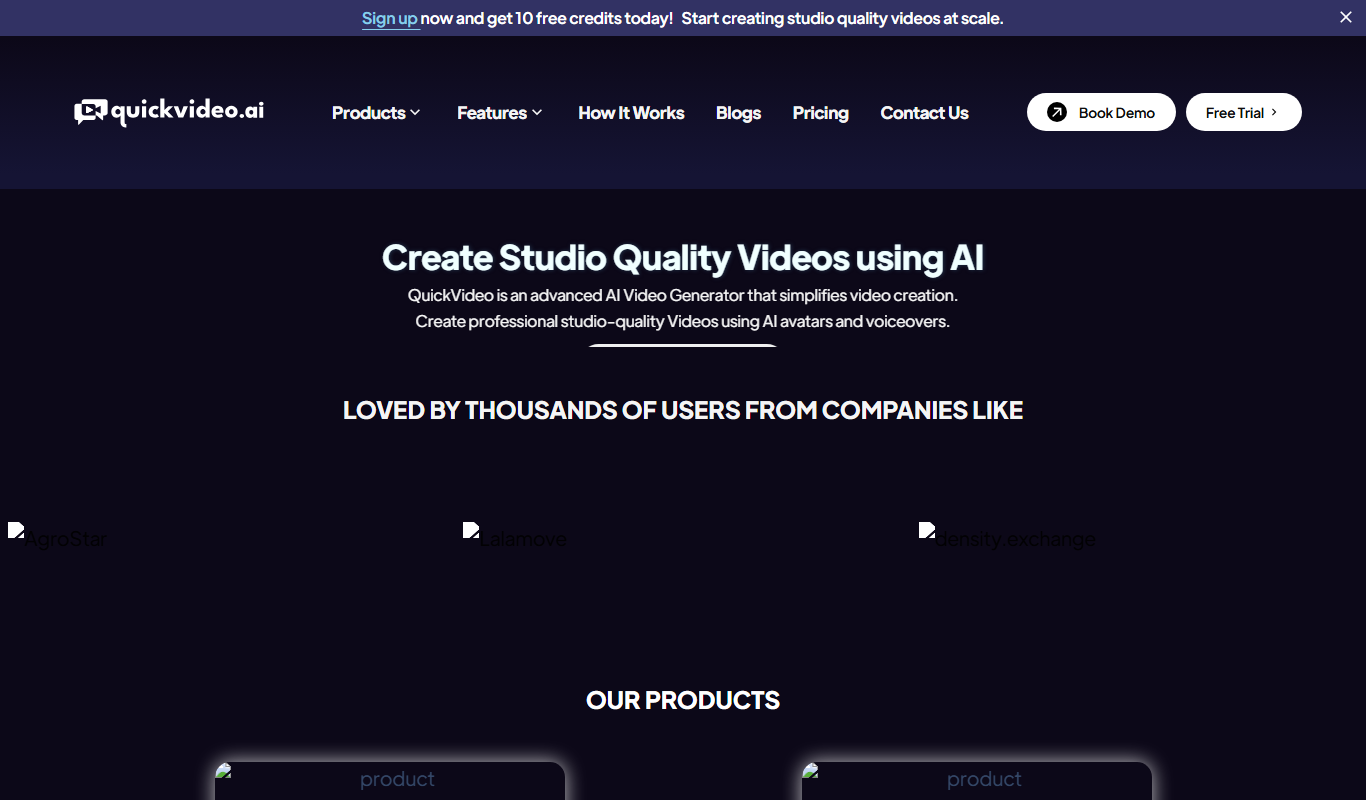
QuickVideo is an AI-driven platform that automates video creation from text and scripts, ideal for marketing and social media content production.
What is QuickVideo?
QuickVideo is an AI-powered video creation platform designed to help users generate professional-quality videos quickly and easily. It leverages artificial intelligence to automate video editing and production, enabling marketers, content creators, and businesses to produce engaging video content without requiring advanced video editing skills.
Key Features of QuickVideo
AI-Powered Video Generation
Automatically converts text and scripts into engaging video content.
Customizable Templates
Access a variety of templates tailored for marketing, social media, and product demos.
Branding and Styling Options
Add logos, colors, and fonts to maintain brand consistency across videos.
Social Media Optimization
Create videos formatted for different social platforms to maximize reach and engagement.
Pros and Cons of QuickVideo
Pros
- Easy to use with AI automation
- Quick video generation saves time
- Customizable templates for branding
- Optimized for social media formats
Cons
- Limited advanced editing features
- Free plan videos include watermarks
Key Use Cases for QuickVideo
Marketing Video Creation
Create engaging promotional videos quickly for digital marketing campaigns.
Social Media Content
Generate short videos optimized for social media platforms to boost engagement.
Product Demonstrations
Produce clear and concise product demo videos to showcase features and benefits.
Content Repurposing
Transform blog posts or text content into video format to reach wider audiences.
How QuickVideo Works
-
1
Sign Up
Create an account on QuickVideo’s web platform to access the video creation tools.
-
2
Input Content
Provide text, URLs, or scripts that you want to convert into video content.
-
3
Customize Video
Select templates, adjust visuals, add branding elements, and tweak video settings.
-
4
Generate and Download
Let the AI process your inputs to create the video, then preview and download the final output.
Who's Using QuickVideo
Digital marketers
Social media managers
Small business owners
Content creators
E-commerce brands
QuickVideo Pricing
Free
$0/month
Basic video creation with limited exports and watermark on videos.
Pro
$29/month
Unlimited video exports, no watermarks, access to premium templates and features.
Frequently Asked Questions About QuickVideo
Yes, QuickVideo is designed for users with no prior video editing skills, using AI to automate the process.
Videos can be exported in standard MP4 format compatible with most platforms.
The free plan has limits on video length and exports, while the Pro plan allows longer videos.
It depends on your specific needs and how you plan to use the tool. The official website and documentation are the best sources for the latest details.
Some tools offer a free plan or trial with limited features. Availability can vary, so confirm on the official website.
Yes, it can help with that use case depending on how you configure it and what features are available. You’ll get the best results with clear inputs and a defined goal.
Share your review
Reviews are limited to one per logged-in user and are published after moderation.
You need an account to review this tool.
0.0
★
★
★
★
★
0 reviews
5 star
0
4 star
0
3 star
0
2 star
0
1 star
0
No reviews yet
Be the first to share how this tool worked for you.
Questions from the community
Read questions and answers about this tool, or ask your own.
No questions yet
Start the conversation by asking the first question about this tool.
Is this tool helpful?
Free
PhotoHero
PhotoHero is an AI-based web tool that automatically removes backgrounds, enhances photos, and upscales images to help users create professional-quality visuals quickly and easily.

Free
Shook AI
Shook AI is a web-based platform that uses artificial intelligence to automate video script generation, editing, and voiceover synthesis, enabling users to create professional videos quickly without prior experience.

Free
Swapr – AI Face Swap & AI Emoji
Swapr is an AI-powered web tool that enables users to swap faces in photos and generate personalized AI emojis quickly and easily without technical skills.

Freemium
InstantChapters
InstantChapters is an AI-driven web tool that automatically creates chapters and summaries for videos, helping content creators improve viewer engagement and video SEO.

Free Trial
Conversion Prime
Conversion Prime is an AI-driven platform that helps businesses optimize website conversions through automated A/B testing, visitor analytics, and actionable insights.

Freemium
VDraw AI
VDraw AI is a web-based vector drawing tool that uses AI to assist designers in creating precise and colorful vector graphics quickly without software installation.

Freemium
SalesMind Ai
SalesMind Ai is an AI-driven sales automation tool that helps businesses generate leads, automate personalized outreach, and integrate with CRM systems to optimize sales workflows.

One-time purchase
Notion Templates For AI
Notion Templates For AI by Niche Plates offers customizable, AI-optimized templates for Notion to enhance productivity and automate workflows with a one-time purchase.